
Telephone menu
Introduction
WARNING
The driver's attention to the road must always be his/her primary focus when driving. For your safety and the safety of others, we recommend that you pull over to a safe location and stop before placing or taking a telephone call. If you choose to use the telephone while driving, please use the handsfree device and only use the telephone when road, weather and traffic conditions permit.
Some jurisdictions prohibit the driver from using a mobile phone while driving a vehicle.
Bear in mind that at a speed of just 30 mph (approximately 50 km/h), your vehicle covers a distance of 44 feet (approximately 14 m) every second.
■ Switch on the mobile phone (see the separate operating instructions).
■ Switch on COMAND (see the separate operating instructions).
■ Establish a Bluetooth® connection to COMAND; see the separate operating instructions.
■ Press the  or
or
 button on the
steering wheel to select the Tel menu.
You will see one of the following display messages in the multifunction display: • Phone READY or the name of the network provider: the mobile phone has found a network and is ready to receive.
• Telephone No Service: there is no network available or the mobile phone is searching for a network.
Accepting a call
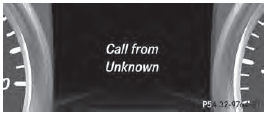
Example: incoming call
If someone calls you when you are in the Tel menu, a display message appears in the multifunction display.
■ Press the  button on the steering
wheel to accept an incoming call.
You can accept a call even if you are not in the Tel menu.
Rejecting or ending a call
■ Press the  button on the
steering
wheel.
You can end or reject a call even if you are not in the Tel menu.
Dialing a number from the phone book
■ Press the or
button on the
steering wheel to select the Tel menu.
■ Press the  ,
,
 or
or
 button to
switch to the phone book.
■ Press the or
button to select the
desired name.
or
■ To begin rapid scrolling: press and hold
the or
button for longer than
one second.
Rapid scrolling stops when you release the button or reach the end of the list.
■ If only one telephone number is stored
for a name: press the or
 button
to start dialing.
or
■ If there is more than one number for a
particular name: press the or

button to display the numbers.
■ Press the or
button to select the
number you want to dial.
■ Press the or
 button to start
dialing.
or
■ To exit the telephone book: press the
or
 button.
Redialing
The on-board computer saves the last names or numbers dialed in the redial memory.
■ Press the or
button on the
steering wheel to select the Tel menu.
■ Press the button to switch to the
redial memory.
■ Press the or
button to select the
desired name or number.
■ Press the or
button to start
dialing.
or
■ To exit the redial memory: press the
or
button.
See also:
Driving abro
Conversion to symmetrical low beam
beam in countries in which traffic drives on
the opposite side of the road from the country
where the vehicle is registered. This prevents
glare to oncoming traf ...
Settings menu
Introduction
Example: settings menu
In the Sett. menu, you have the following
options:
• changing the instrument cluster settings
• changing the light settings
• changing the vehicle setting ...
Tire labeling
Tire labeling overview
The following markings are on the tire in
addition to the tire name (sales designation)
and the manufacturer's name:
1 Uniform tire Quality Grading Standard
2 DOT, Tire ...